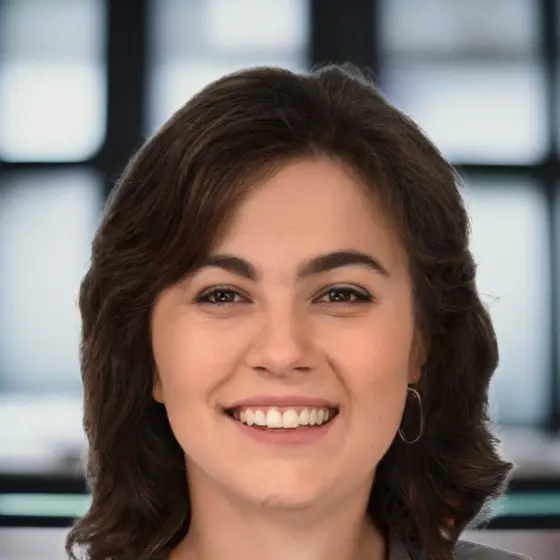
The 2026 ban on AI-altered passport photos has created massive confusion. Some people think any AI involvement means their photo will be rejected. Others are using ChatGPT to generate passport photos from scratch — which will absolutely get rejected and may constitute fraud.
The reality is more nuanced. The State Department doesn't ban all AI — it bans AI that changes what your photo depicts. AI that checks whether your photo is compliant without altering it is perfectly fine. Understanding this distinction is the difference between a smooth application and a rejection letter.
This guide explains exactly what the State Department prohibits, what's safe, and how AI-powered passport photo tools actually work.
What Is an "AI Passport Photo"?
The term means completely different things depending on context. There are four levels of AI involvement in passport photos, from most to least problematic:
Level 1: AI Generation (BANNED)
Creating a passport photo entirely from scratch using tools like ChatGPT, Midjourney, DALL-E, or Stable Diffusion. The resulting image depicts a version of you that was never actually photographed.
Status: Explicitly banned by the US State Department, UK, and all ICAO member nations. May constitute fraud if submitted for an official document.
Level 2: AI Alteration (BANNED)
Taking a real photo and using AI to modify your appearance: skin smoothing, wrinkle removal, face reshaping, beauty filters, AI-driven exposure correction, or AI background replacement.
Status: Banned. The State Department's exact language: "Do not change your photo using computer software, phone apps or filters, or artificial intelligence."
Level 3: AI-Assisted Formatting (Gray Area)
Using AI to crop to correct dimensions, detect face position, resize, and perform basic formatting. Background removal from a real photo to set a white background sits in this category — every major passport photo tool does this.
Status: Generally accepted. The key distinction: formatting changes how an image is displayed, not what it depicts.
Level 4: AI Validation (Compliant)
AI that analyzes your photo and tells you whether it passes or fails — without modifying the image at all. Checks head-to-frame ratio, eye position, lighting uniformity, expression, background color, and other biometric measurements.
Status: Fully compliant. No government has banned AI from checking whether a photo meets requirements.
The AI Photo Ban: What the State Department Actually Says
As of January 2026, the State Department requires that passport photos must not be "created or edited using artificial intelligence or other digital tools." The grace period for borderline cases ended December 31, 2025.
What's prohibited:
- AI-generated photos (any tool that creates an image from a text prompt)
- Beauty filters and skin smoothing (including automatic smartphone beautification)
- Face reshaping or feature enhancement
- AI-driven color correction that changes skin tone
- Red-eye correction (you must retake the photo, not edit it)
- AI background replacement that generates a new background
What's permitted:
- Cropping to correct dimensions
- Resizing to required pixel count
- Standard JPEG compression
- Basic brightness and contrast adjustment (non-AI)
- White balance correction that doesn't alter skin tone
- AI compliance checking (validation without modification)
The State Department's detection systems flag AI-altered images without human review. A rejected photo means resubmission, adding weeks to your processing time.
For complete 2026 requirements, see our US passport photo requirements guide.
AI-Generated vs. AI-Validated: Why the Difference Matters
This is the core distinction most people miss:
| AI-Generated | AI-Altered | AI-Validated | |
|---|---|---|---|
| What it does | Creates a new image from scratch | Modifies an existing photo | Checks an existing photo |
| Changes the image? | Yes — the image never existed | Yes — appearance is modified | No — only reports pass/fail |
| Examples | ChatGPT, Midjourney, DALL-E | Beauty filters, skin smoothing, background swap | Compliance checking, biometric measurement |
| Legal status (2026) | Banned. Potentially fraud | Banned | Compliant |
| Facial recognition impact | Photo won't match your face | May not match at border | No impact — photo is unaltered |
Why this matters at the border: Passport photos are matched against your face using facial recognition at ports of entry. AI modifications — even subtle ones — change the mathematical model of your face stored in databases. This can drop match confidence, causing delays, secondary screening, or denied entry.
AI validation doesn't touch the image, so there's zero impact on facial recognition matching.
The ChatGPT Passport Photo Trend
In 2025, a viral TikTok trend showed people using ChatGPT's image generator to create "perfect" passport photos. The results looked professional — and they will all be rejected.
Why these photos fail:
- They are entirely AI-generated, not photographs of a real person in a real moment
- They don't match the mathematical facial model that border control uses for identity verification
- Security researchers demonstrated that fake identity documents including passports can be created in minutes with ChatGPT's image generator
- The State Department's automated detection systems are specifically trained to identify AI-generated facial images
The risk goes beyond rejection. Knowingly submitting an AI-generated image as a passport photo may constitute document fraud. The State Department has issued explicit warnings against this practice.
The bottom line: ChatGPT makes passport photos that look great but will get you rejected. AI validation tools make sure your real photo won't be.
For more on this trend, read our analysis of the ChatGPT AI passport photo phenomenon.
How AI Passport Photo Apps Actually Work
Legitimate AI passport photo tools use a combination of computer vision and compliance checking — not image generation. Here's what happens when you upload a photo to a tool like Snap2Pass:
1. Face Detection
AI locates your face in the image and maps key landmarks: eyes, nose, mouth, chin, crown of head, and ear positions. This uses the same type of facial landmark detection that powers phone face unlock — it reads your face, it doesn't change it.
2. Biometric Measurement
The system measures head-to-frame ratio (must be 50-69%), eye position (56-69% from bottom), interpupillary distance, and facial symmetry. These measurements follow ICAO 9303 standards — the same international biometric standard used by 193 nations.
3. Compliance Checking
Your photo is evaluated against the specific requirements for your target document. For a US passport, this includes 30+ criteria across categories: facial features and detection, expression and mouth position, optical issues (glasses, glare), technical quality (resolution, blur), exposure and lighting, hair and feature visibility, and camera positioning.
4. Formatting
The image is cropped to correct dimensions, resized to required pixel count, and formatted for submission. This is the same thing a CVS photo clerk does when they crop your photo to 2x2 inches — except AI does it with pixel-perfect precision.
5. Result
You get either a compliant photo ready for submission, or specific feedback about what needs to be fixed (retake with better lighting, remove glasses, adjust expression). The key: your face is never modified. The AI validates and formats — it doesn't alter.
Why 60% of Passport Photos Get Rejected
Over 60% of first-time passport photo submissions are rejected in the US, UK, Canada, and Australia. A study of 10,083 rejected photos found these top causes:
| Rejection Category | Frequency | Examples |
|---|---|---|
| Subject positioning | 55.7% | Wrong framing, face not centered, wrong angle |
| Lighting | 45.8% | Uneven light, shadows on face, insufficient brightness |
| Facial expression | 33.7% | Mouth open, indirect gaze, unnatural expression |
| Image quality | 29.8% | Low resolution, blur, pixelation |
| Appearance | 14% | Glasses reflection, hair covering face, wrong headwear |
Most of these are fixable before you submit — if you know about them. This is exactly what AI validation catches. A human eyeballing their own photo in the mirror rarely notices that their head is at 48% instead of the required 50%, or that there's a faint shadow behind their right ear. AI measures these precisely.
What to Look for in an AI Passport Photo App
Not all "AI passport photo" apps are equal. Here's what separates compliant tools from risky ones:
Green flags (compliant approach):
- Validates your photo against official requirements without altering appearance
- Tells you specifically what's wrong and how to fix it (retake guidance)
- Formats and crops to correct dimensions
- Supports multiple document types with country-specific rules
- Clear privacy policy about photo storage and deletion
Red flags (risky approach):
- Claims to "enhance" or "beautify" your passport photo
- Offers skin smoothing, blemish removal, or face reshaping
- Generates photos from text descriptions or casual selfies using AI
- Uses language like "AI makeover" or "AI transformation"
- Doesn't specify what their AI actually does to the image
Questions to ask:
- Does this app modify my facial features? (Should be no)
- Does this app validate against specific country requirements? (Should be yes)
- What happens to my photo after processing? (Should be deleted)
Your Phone Is Already Using AI (And You May Not Know It)
Modern smartphones apply AI enhancement to every photo automatically:
- iPhone: Smart HDR, Deep Fusion, and Photographic Styles process every image. Smart HDR and Deep Fusion optimize exposure and detail without altering appearance (generally safe). Photographic Styles change skin tone and color rendering (risky — set to Standard).
- Samsung: Scene Optimizer and AI Photo Enhancement apply beauty adjustments by default. Disable both in Camera Settings.
- Google Pixel: Face Unblur and Real Tone automatically adjust facial appearance. Disable before taking passport photos.
The State Department now explicitly bans "automatic smartphone beautification features." Your "normal" phone photo may already be AI-enhanced without you realizing it.
For iPhone-specific guidance, see our iPhone passport photo guide.
Frequently Asked Questions
Can I use ChatGPT to make a passport photo? No. AI-generated passport photos are explicitly banned by the State Department and may constitute fraud. The photo must be a real photograph of you, not a generated image.
Is it legal to use an AI passport photo app? Yes — if the app validates and formats your photo without altering your appearance. AI that checks compliance (head size, eye position, background, expression) is not banned. AI that changes how you look is banned.
Will my phone's automatic processing get my photo rejected? Standard processing like Smart HDR on iPhones is not currently being flagged. However, beauty modes, portrait mode, and style filters are explicitly banned. Shoot in standard Photo mode with good lighting to minimize processing.
What's the difference between AI background removal and AI alteration? Background removal changes the content of the image (replacing one background with another). Under the strictest reading of the 2026 rules, this could be considered alteration. However, every major passport photo tool does this, and the State Department's enforcement focuses on facial appearance changes, not background formatting. The safest approach is to photograph against a white background to begin with. See our background guide.
How do I know if my photo has been AI-altered? Look for unnaturally smooth skin, perfectly uniform backgrounds with zero variation, blurred or softened edges around hair, and colors that look too saturated or warm. If you used any filter, beauty mode, or portrait mode, the photo is altered.
Can AI passport photos pass facial recognition at the border? AI-validated photos (where the image is unmodified) will match your face perfectly — the photo is a real photograph of you. AI-generated or AI-altered photos may fail facial recognition because the mathematical model of your face has been changed, potentially causing delays or secondary screening.
What apps does the State Department recommend? The State Department offers its own free photo tool at tsg.phototool.state.gov, but it only crops and resizes — it doesn't validate compliance. For AI validation that checks head size, eye position, lighting, expression, and 30+ other criteria, use a dedicated passport photo app like Snap2Pass. See our comparison of the best passport photo apps.