
US Passport Photo Requirements & Size (2x2 Inches)AI Expert Reviewed • Get Result in 3s

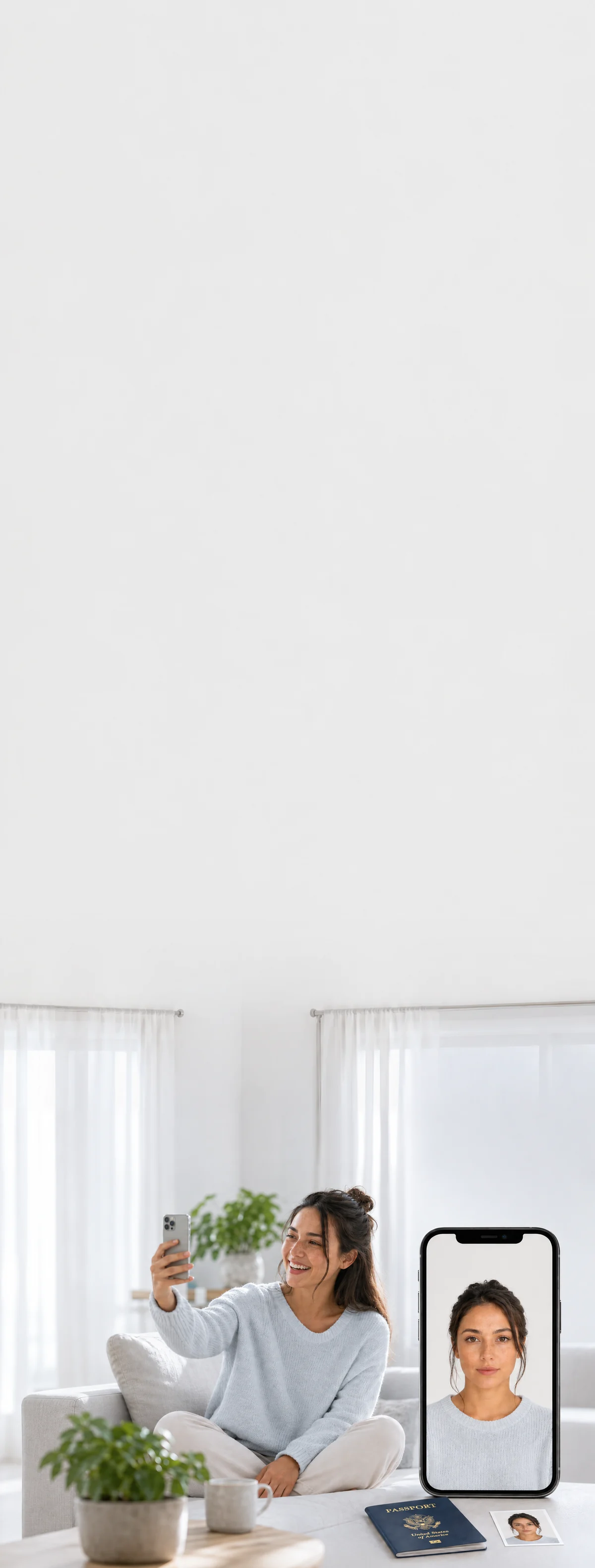
Take a selfie at home. We create a digital us passport photo with 2×2 inches, white background, and correct head size per official standards.

4.8(561 reviews)
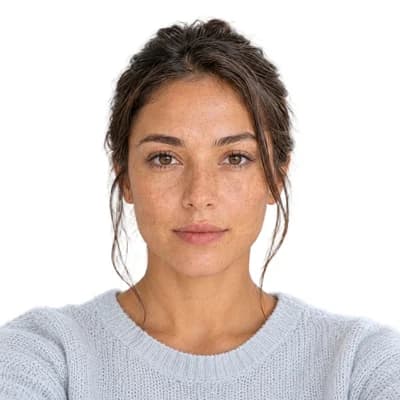
Original user photo before digital processingBefore
Digital US Passport photo resized to official size requirements, ready for online applicationAfter
us flag

Why Choose Snap2Pass

500,000+ Photos Processed
99.8% Acceptance Rate
24/7 Customer Support

Lightning Fast

Advanced AI technology processes your photo in seconds, delivering professional results instantly.

AI Expert Review

AI-powered computer-vision algorithms verify size, lighting, background, and framing against photo standards.

Guaranteed Approval

If authorities reject your photo, we'll fix it for free or refund you - no hassle, no risk.

US Passport Photo CheckInstant • Professional • Guaranteed

Instantly verify your photo meets US Passport requirements. Get it right the first time.

25+
Validation Points
99%
Acceptance Rate
7
Check Categories

Biometric Compliance

Face detection, eye visibility, pose alignment

Technical Quality

Resolution, lighting, focus, contrast

US Passport Standards

Official requirements, compliance guidelines

Validated using US Passport official requirements

AI US Passport photo validation interface showing real-time analysis results
Real-time Analysis

Take Perfect PhotosAt Home

Professional Results • No Technical Skills Needed

Step 1: Body-camera distance - instruction for taking the perfect passport photo

Body-camera distance

Position yourself min 16-20 inch from the camera. Ensure your head, neck, and upper shoulders are visible in the frame.

Step 2: Posture: straight ahead - instruction for taking the perfect passport photo

Posture: straight ahead

Keep your head straight and centered. Look directly at the camera with a neutral expression, mouth closed, and eyes open.

Step 3: Lighting on both sides of the face - instruction for taking the perfect passport photo

Lighting on both sides of the face

Use natural lighting for even illumination. Avoid shadows and ensure all facial features are clearly visible.

Ready in under 5 minutes • Works with any smartphone

Print Your US Passport PhotoSame Day

Walgreens, CVS & Walmart • Under $1 for 4 Photos

How to Print Your Photo

1

Download your digital photo

After checkout, download the print-ready file to your phone or computer

2

Visit CVS, Walgreens, or Walmart photo center

Use their app or in-store kiosk to upload your photo

3

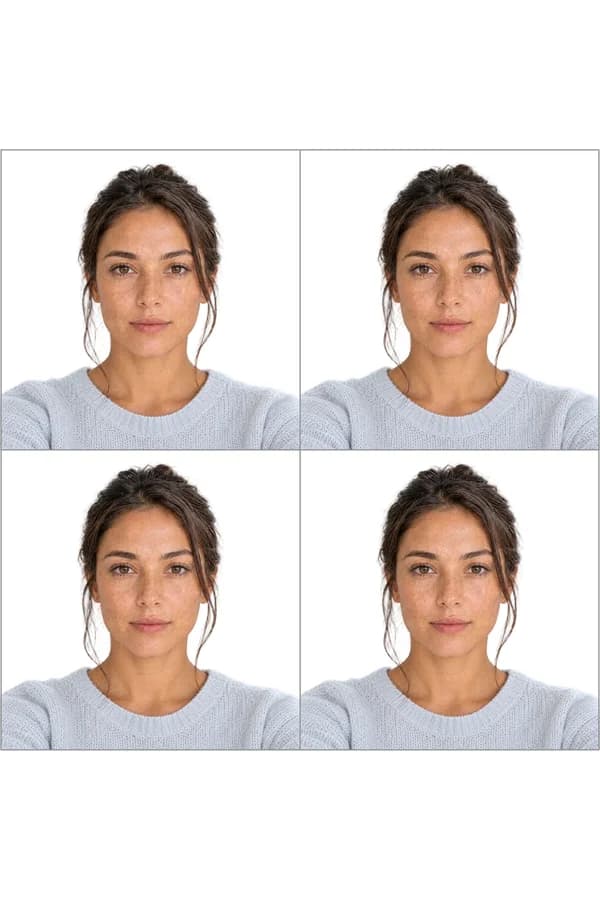
Print as 4x6 photo

Your file includes 4 passport-size photos on one 4x6 print

Print ready in 1 hour • No appointment needed

US Passport SpecificationsMade Simple

Official Requirements • Compliant Standards

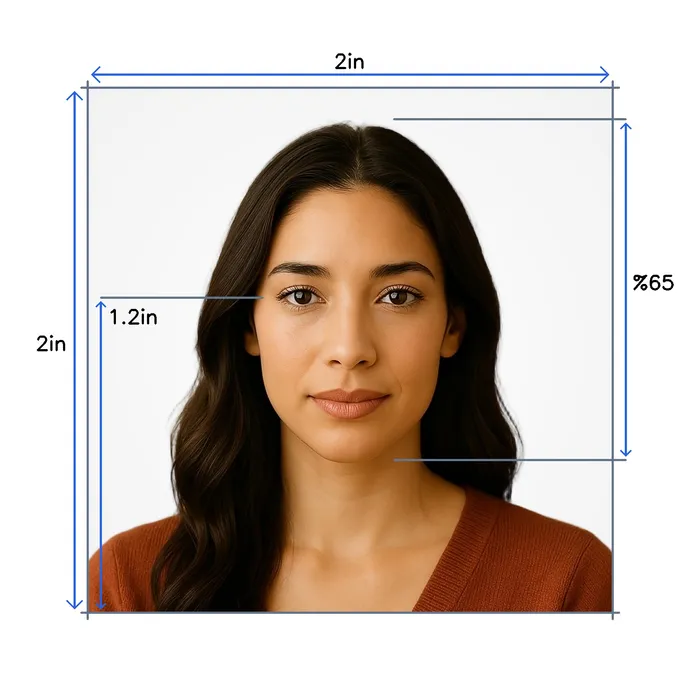
Size

2 x 2 inches

Resolution

600 dpi

Position

Head covers 65% of the photo

Background Color

#ffffff

Not Permitted

Hats and caps (except religious), Sunglasses, Heavy makeup, Eye glasses

Official Site Link

Passport photo requirements to create photo online
Official Standards
Last update: 12/9/2025
Written bySandra - Author AvatarSandra
Expert verified

Important Details When Taking a US Passport Photo

Planning to apply for a US passport? It's essential to understand the US passport photo requirements set by the US Department of State to ensure your application is successful. A compliant US passport photo is a crucial component of the passport application or renewal process. By following the official guidelines, you can avoid delays or rejections.

US Passport Photo Requirements We Comply With:

  • Color and Quality: The photo must be in color and printed on high-quality matte or glossy photo paper. It should be free of blurriness or graininess.

  • Size and Dimensions: The American passport photo size must be 2 x 2 inches (51 x 51 mm). Your head should measure between 1 inch and 1⅜ inches (25 to 35 mm) from the bottom of your chin to the top of your head.

  • Background: Use a plain white or off-white background without any patterns, shadows, or distractions. This ensures your facial features are clearly visible.

  • Pose and Expression: Face the camera directly with both eyes open. Maintain a neutral expression or a natural smile. Avoid tilting or turning your head.

  • Eyewear: Glasses are not allowed unless you have a medical exemption with a signed statement from a doctor. Sunglasses or tinted lenses are prohibited.

  • Headgear: Head coverings are only permitted for religious or medical reasons. Your full face must be visible, and the head covering should not cast shadows on your face.

  • Attire: Wear everyday clothing. Uniforms, camouflage attire, or clothing that resembles a uniform are not allowed. Avoid excessive jewelry or accessories that obscure your face.

  • Recentness: The photo must have been taken within the last six months to reflect your current appearance.


Common Questions About US Passport Photos

Do ears need to show in a US passport photo?

No, ears do not need to be visible in a US passport photo. The State Department allows hair to cover your ears. The key requirement is that your full face from hairline to chin must be clearly visible without obstructions.

Can hair cover my ears in a passport photo?

Yes, your hair can cover your ears in a US passport photo. However, hair cannot cover your eyes, eyebrows, or any part of your face. If you have bangs, pin them back or to the side.

What parts of my face must be visible?

Your entire face from the bottom of your chin to the top of your head must be visible. This includes both eyes (open), nose, mouth, and the edges of your face. Ears are not required to be visible.


2025 US Passport Photo Rules: AI Editing Ban

Important Update: The U.S. Department of State is ending its grace period for non-compliant photos on December 31, 2025. Starting January 2026, AI-edited or digitally altered passport photos will face immediate rejection.

What's Not Allowed:

  • Photos edited with AI filters or beauty apps
  • Digitally altered skin, eyes, or facial features
  • Background replacement using photo editing software
  • Any manipulation that changes your natural appearance

Why Snap2Pass Is Different

Snap2Pass does not alter your appearance. Our AI only validates that your photo meets official requirements—correct size, lighting, background, and positioning. Your actual face remains untouched, ensuring 100% compliance with State Department rules.


Digital Photo Requirements for Online Applications

If you're renewing your passport online or applying through the State Department website, your digital photo must meet these additional specifications:

RequirementSpecification
Dimensions600 x 600 pixels (minimum) to 1200 x 1200 pixels (maximum)
File FormatJPG, JPEG, or HEIF
File Size54 KB to 10 MB
Aspect RatioSquare (1:1)

Snap2Pass automatically generates photos in the correct digital format for online passport renewal applications. Get your 2x2 passport photo ready for upload in seconds.


Ear Visibility Requirements:

While the US Department of State does not explicitly require ears to be visible in passport photos, there are important guidelines that affect ear visibility:

  • Full Face Visibility: Your "full face must be visible" in the photo, which means your entire face should be clearly visible without obstruction.

  • Hair Styling: Hair should not cover your eyes, eyebrows, or other facial features. Long hair should be styled so it doesn't block your face, typically by tucking it behind the ears.

  • No Face Obstruction: The guidelines specifically state that hair should not "block a portion of the face," which includes the areas where ears are located.

Best Practices for Ear Visibility:

  • Style long hair to show ears by tucking it behind them
  • Ensure no hair covers the sides of your face where ears are located
  • Maintain good lighting to avoid shadows that might obscure facial features
  • Follow the neutral expression rule while facing the camera directly

For the complete set of US passport photo requirements, please visit the official website: US Passport Photo Guidelines


Additional Details for Renewing Your US Passport Online

Before starting your online passport renewal, ensure you meet the eligibility criteria:

  • Possession: You have your undamaged passport in your possession.

  • Issuance Date: Your passport was issued less than 15 years ago when you were age 16 or older.

  • Name Consistency: Your passport is in your current name, or you can provide legal documentation of your name change.

  • Passport Type: You have a regular tourist passport (not a diplomatic, official, or no-fee passport).

  • Payment: You're able to pay the renewal fees with a credit or debit card.


Conclusion

Submitting a compliant US passport photo is vital for the success of your passport application or renewal. By adhering to the specified guidelines, you can prevent delays or rejections. We ensure that your passport photo meets all the US government requirements, giving you peace of mind during your application process. Don't leave it to chance—get it right the first time with our expert service.

Recent News

Common QuestionsAnswered

Everything You Need to Know

Supported DocumentsWorldwide

All Countries • Current 2025 Regulations • ICAO Compliant