Looking to print your 2x2 passport photos at CVS? This guide shows you how to get same-day passport photo prints at CVS for just $0.38 per 4x6 sheet (that's 4 passport photos!). Whether you need photos for a US passport, visa, or green card application, CVS Photo's same-day service has you covered.
Step 1: Access the CVS Photo Website
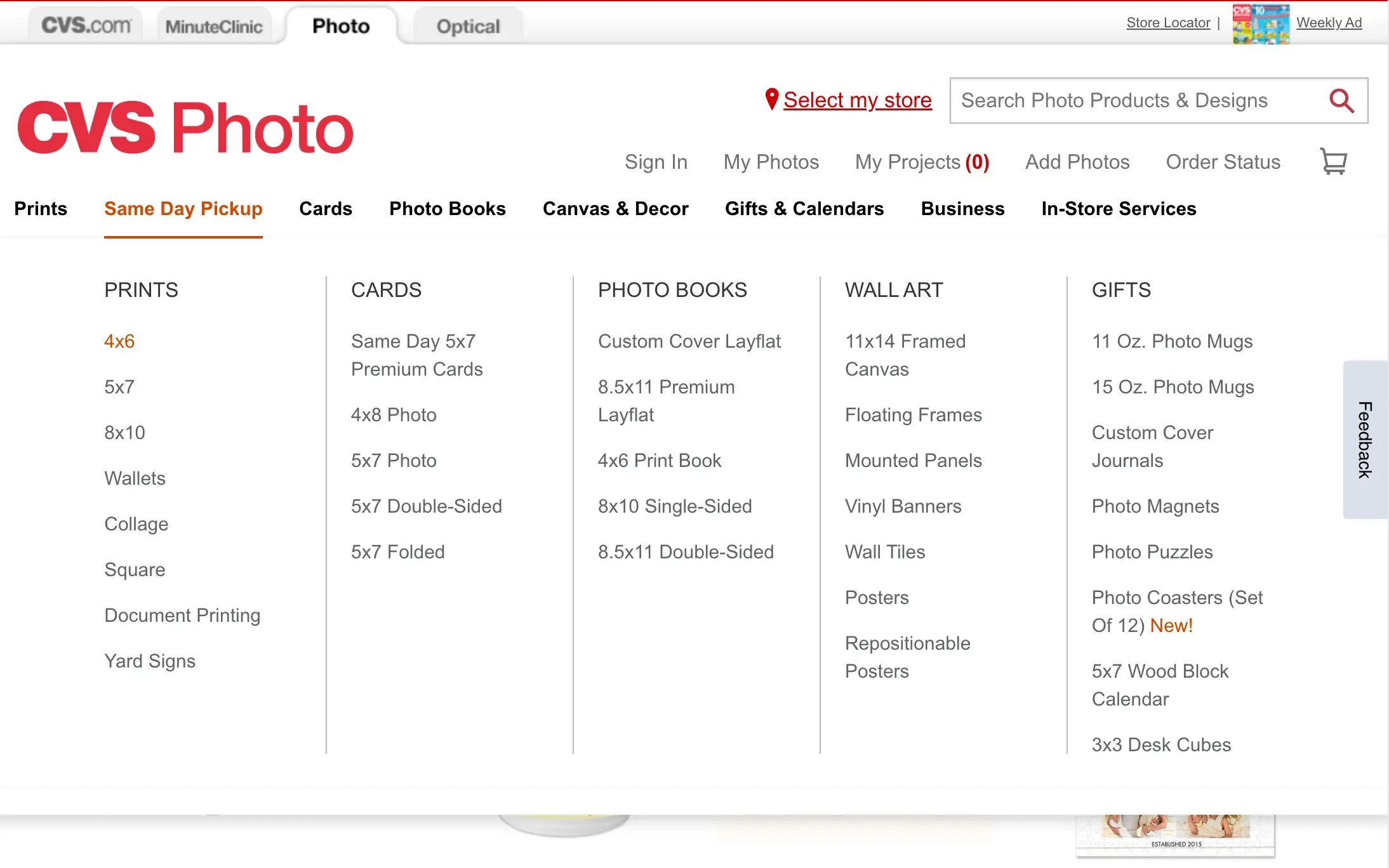
First, head over to the CVS Photo website. Once you're there, navigate to the "Same Day Pickup" tab. You’ll find a variety of products you can get printed the same day, from standard prints to photo books.
Step 2: Select Your Print Size
Under the "Prints" section, you can choose from several sizes like 4x6, 5x7, 8x10, and more. For this guide, we'll go with the standard 4x6 prints.
Step 3: Upload Your Photos
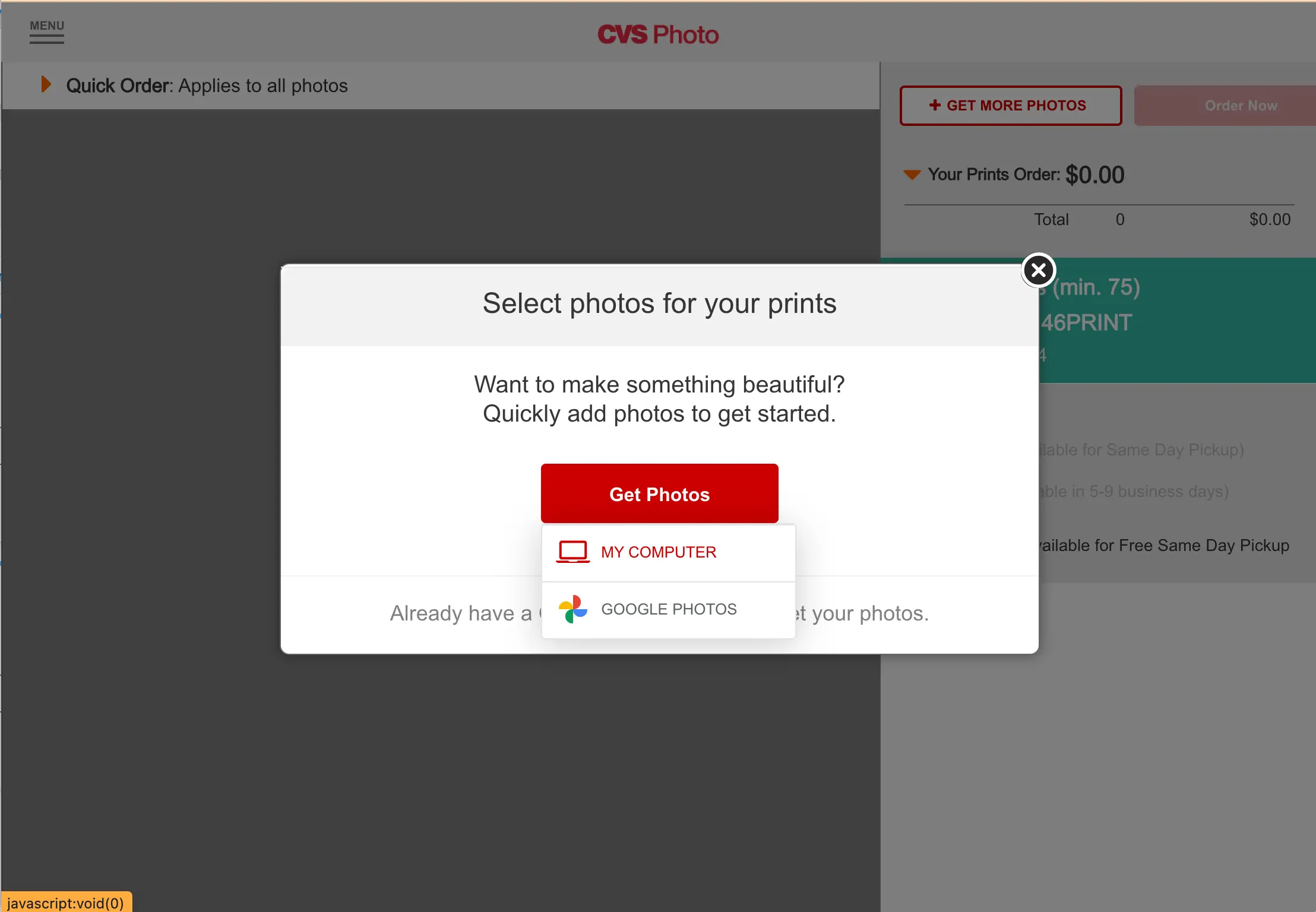
Click on "Get Photos" to start uploading your images. You’ll be prompted to either sign in to your CVS account or upload photos directly from your computer or Google Photos. If you don’t have an account, it's quick to create one.
Step 4: Choose Your Photos
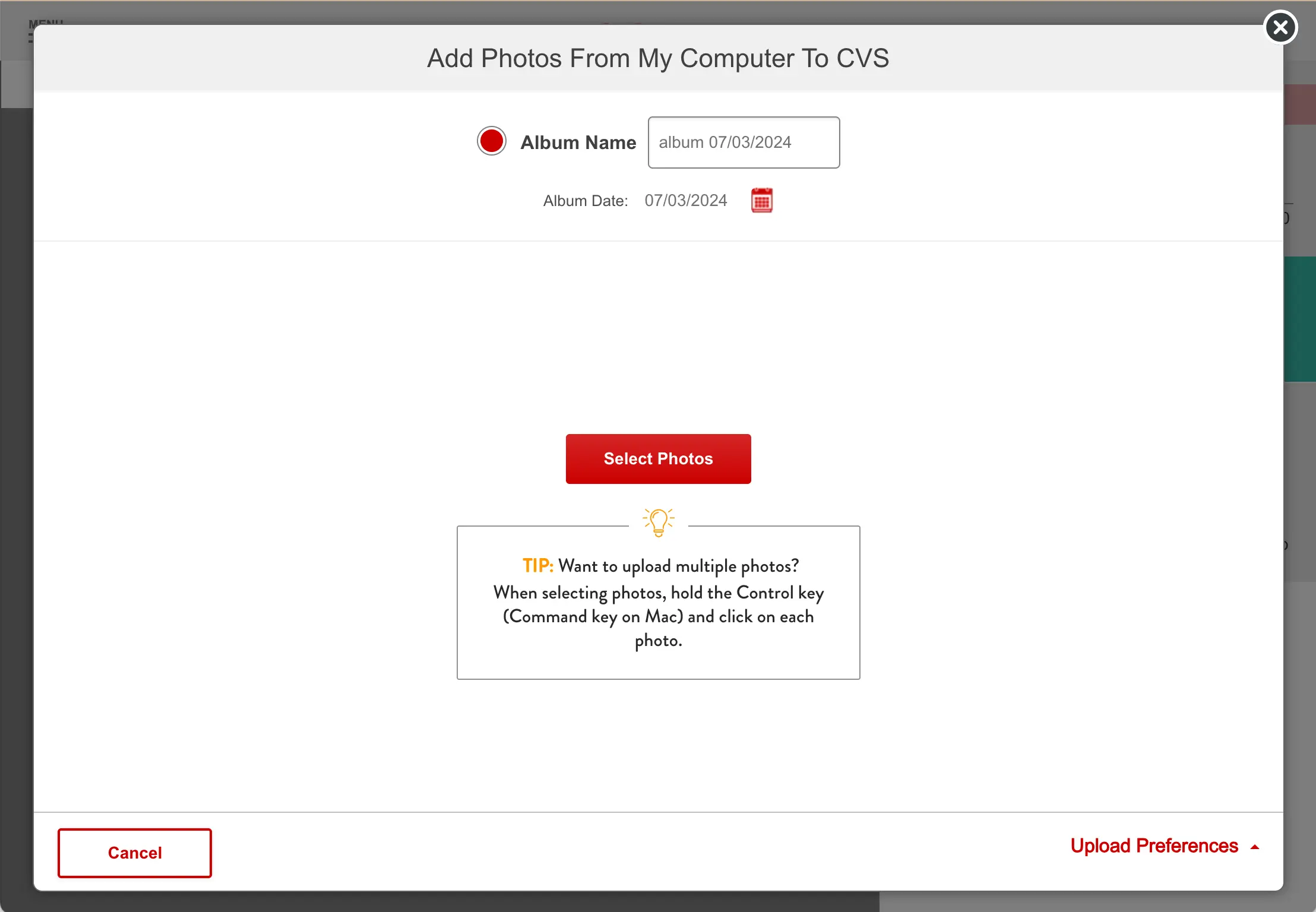
After clicking "Get Photos," select the photos you want to print from your computer. Make sure to select the photo file that ends with 'photo-Set.jpg' as it contains a tile of 4 photos. This ensures you get the correct print layout.
Step 5: Review and Select Quantities
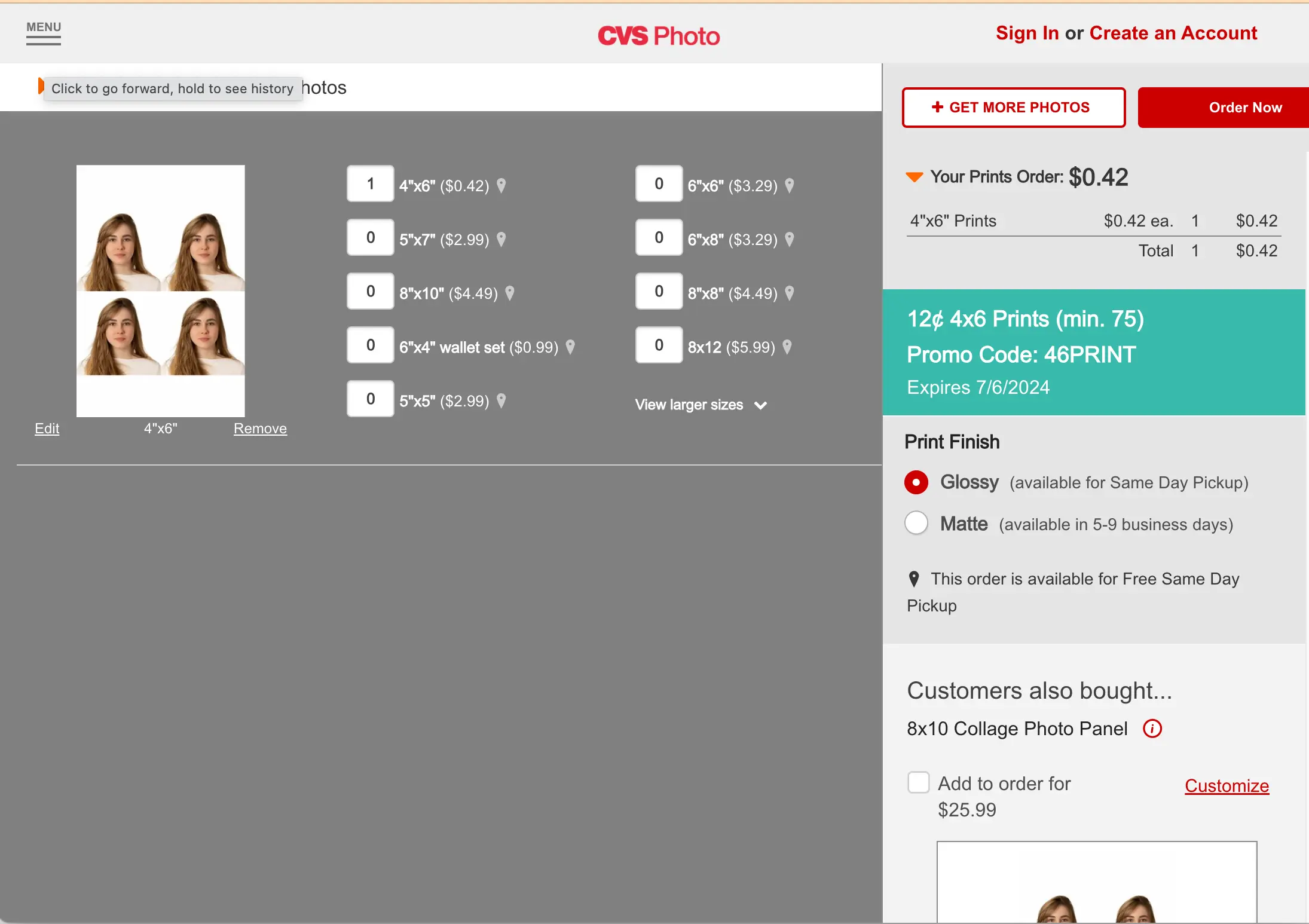
Once your photos are uploaded, you’ll see them displayed on the CVS Photo interface. Here, you can adjust the quantity for each print size. For our example, we are selecting one 4x6 print. Make sure to select "Glossy" as the print finish for the best quality.
Step 6: Say "No Thanks" to Extra Offers
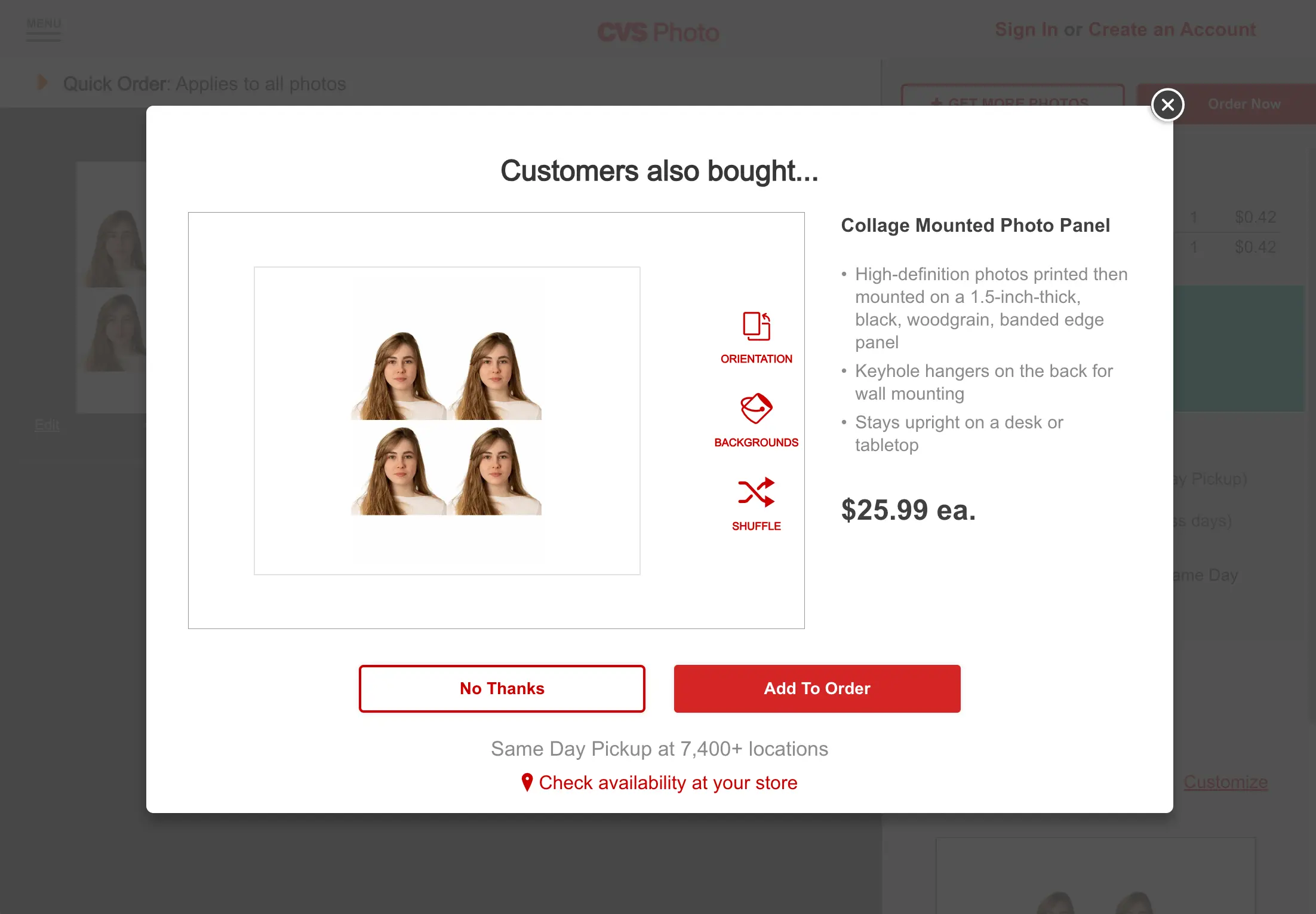
CVS often suggests additional products, like photo panels or personalized gifts, that you can add to your order. For this guide, simply select "No Thanks" to proceed without adding extras.
Step 7: Choose Your Pickup Option
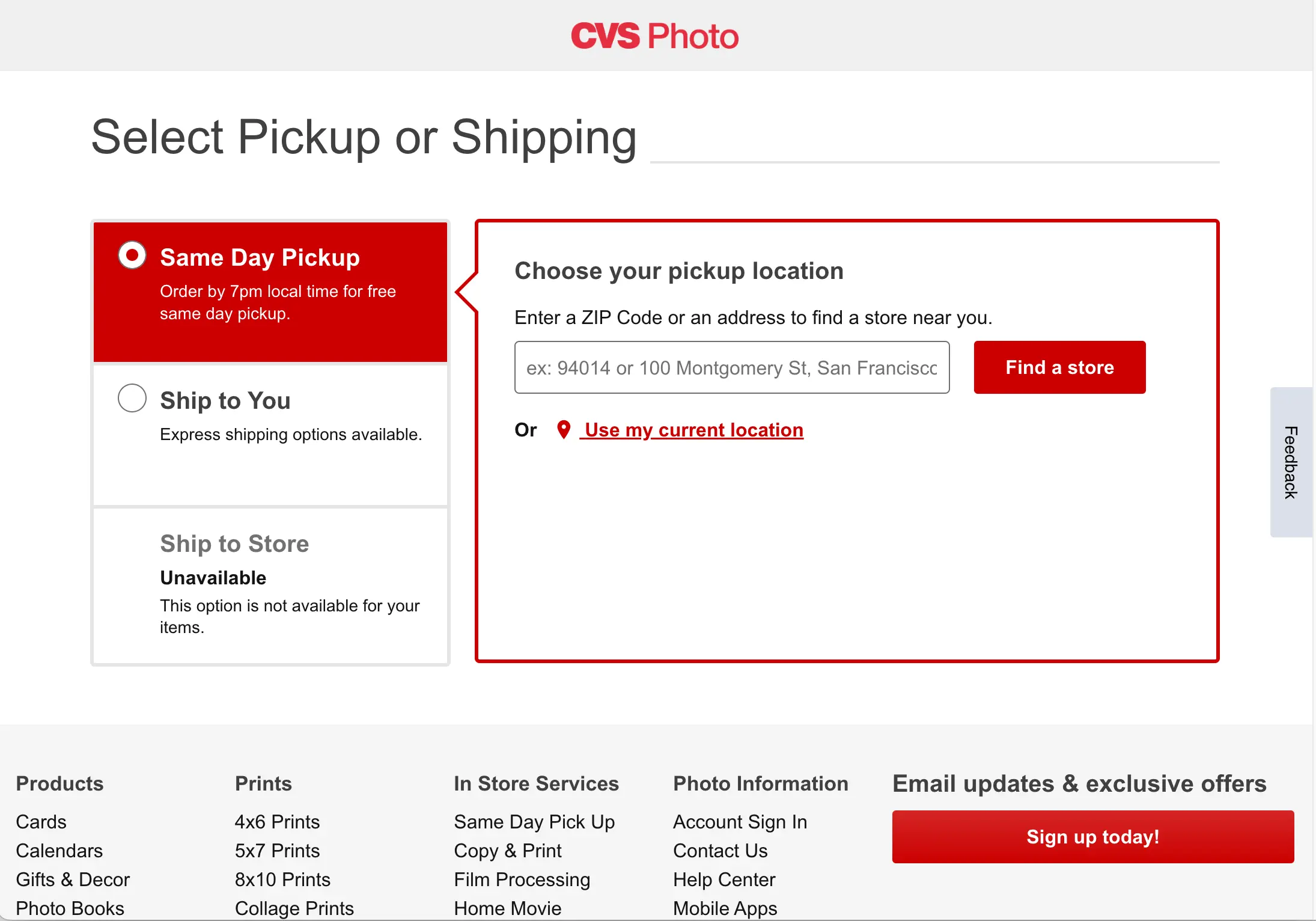
Now it’s time to decide how you want to receive your prints. Select "Same Day Pickup" and then choose your preferred CVS location by entering your zip code. Make sure to check if the location offers same-day pickup for the product you selected.
Step 8: Place Your Order
Review your order summary to ensure everything is correct. If you have a promo code, now is the time to enter it. Finally, click "Order Now" to place your order. You will receive a confirmation email with details about when your order will be ready for pickup.
CVS 2x2 Photo Printing: What You Need to Know
CVS doesn’t offer a standalone "2x2 print" option — their print sizes start at 4x6. The trick is to upload a 4x6 tile that contains four 2x2 passport photos arranged in a grid. When CVS prints the 4x6, you cut it into four individual 2x2 photos.
Snap2Pass automatically generates this 4x6 tile for you. After creating your compliant photo, download the file ending in photo-Set.jpg — that’s your print-ready tile.
Supported 2x2 documents you can print at CVS:
- US Passport photos (2x2 inches)
- US Visa photos (2x2 inches)
- USCIS immigration photos (2x2 inches)
- Green Card photos (2x2 inches)
- Indian Visa photos (2x2 inches)
CVS Passport Photo Printing vs. Full Service
| Option | What You Get | Cost | Time |
|---|---|---|---|
| CVS full service | Staff takes photo + prints | $16.99 | 15 min in-store |
| Snap2Pass + CVS print | AI-validated photo + print | $12.33 | 1 hour (online order) |
| Snap2Pass digital only | Digital file for online apps | $11.95 | Instant |
The full-service option at CVS uses a basic camera with no AI compliance checking. With Snap2Pass, your photo is validated against 25+ checkpoints before you ever step into the store — and you save $6.61.
Can I Print Other Document Photos at CVS?
Yes. The same 4x6 print method works for any document photo, not just US passports. Popular options include:
- Visa photos: Chinese visa (33x48mm), Indian passport (2x2), UK visa (35x45mm)
- Immigration photos: Canadian PR card, USCIS
- International passports: Standard 35x45mm used by 80+ countries
Not sure what your document's size is in inches, millimeters, or pixels? Use our free passport photo size converter to convert 2x2 inches, 35x45mm, and any other size between mm, inches, and pixels at 300 DPI.
Snap2Pass supports 555+ document types and generates the correct tile layout for each one. Just select your document type, take your photo, and print the tile at CVS.
Frequently Asked Questions
How much does CVS charge for passport photos?
CVS charges $16.99 for their full passport photo service, which includes taking the photo and printing. However, if you already have a compliant digital photo from Snap2Pass, you can print a 4x6 tile with 4 passport photos for just $0.38.
Can I print 2x2 photos at CVS?
Yes! Upload a 4x6 tile containing four 2x2 passport photos to CVS Photo and select 4x6 glossy prints. You'll get 4 passport-sized photos for $0.38. Snap2Pass automatically creates this tile for you.
How long does CVS same-day photo printing take?
CVS same-day prints are typically ready within 1 hour of placing your order. You'll receive an email notification when your photos are ready for pickup.
Does CVS print visa photos?
Yes, CVS can print any photo you upload, including visa photos. Just make sure your digital photo meets the visa requirements before printing. Snap2Pass validates your photo against 25+ checkpoints to ensure compliance.