Indian Passport Photo99.8% Acceptance Rate · Guaranteed

Take a selfie at home. We create a Passport Seva-ready 35×45mm photo at exactly 630×810 pixels with white background and ICAO compliance — ready to upload in seconds.

Original user photo before digital processingBefore
Digital Indian Passport photo resized to official size requirements, ready for online applicationAfter

Why Choose Snap2Pass

500,000+ Photos Processed
99.8% Acceptance Rate
24/7 Customer Support

Lightning Fast

Advanced AI technology processes your photo in seconds, delivering professional results instantly.

AI Expert Review

AI-powered computer-vision algorithms verify size, lighting, background, and framing against photo standards.

Guaranteed Approval

If authorities reject your photo, we'll fix it for free or refund you - no hassle, no risk.

Indian Passport Photo CheckInstant • Professional • Guaranteed

Instantly verify your photo meets Indian Passport requirements. Get it right the first time.

25+
Validation Points
99%
Acceptance Rate
7
Check Categories

Biometric Compliance

Face detection, eye visibility, pose alignment

Technical Quality

Resolution, lighting, focus, contrast

Indian Passport Standards

Official requirements, compliance guidelines

Validated using Indian Passport official requirements
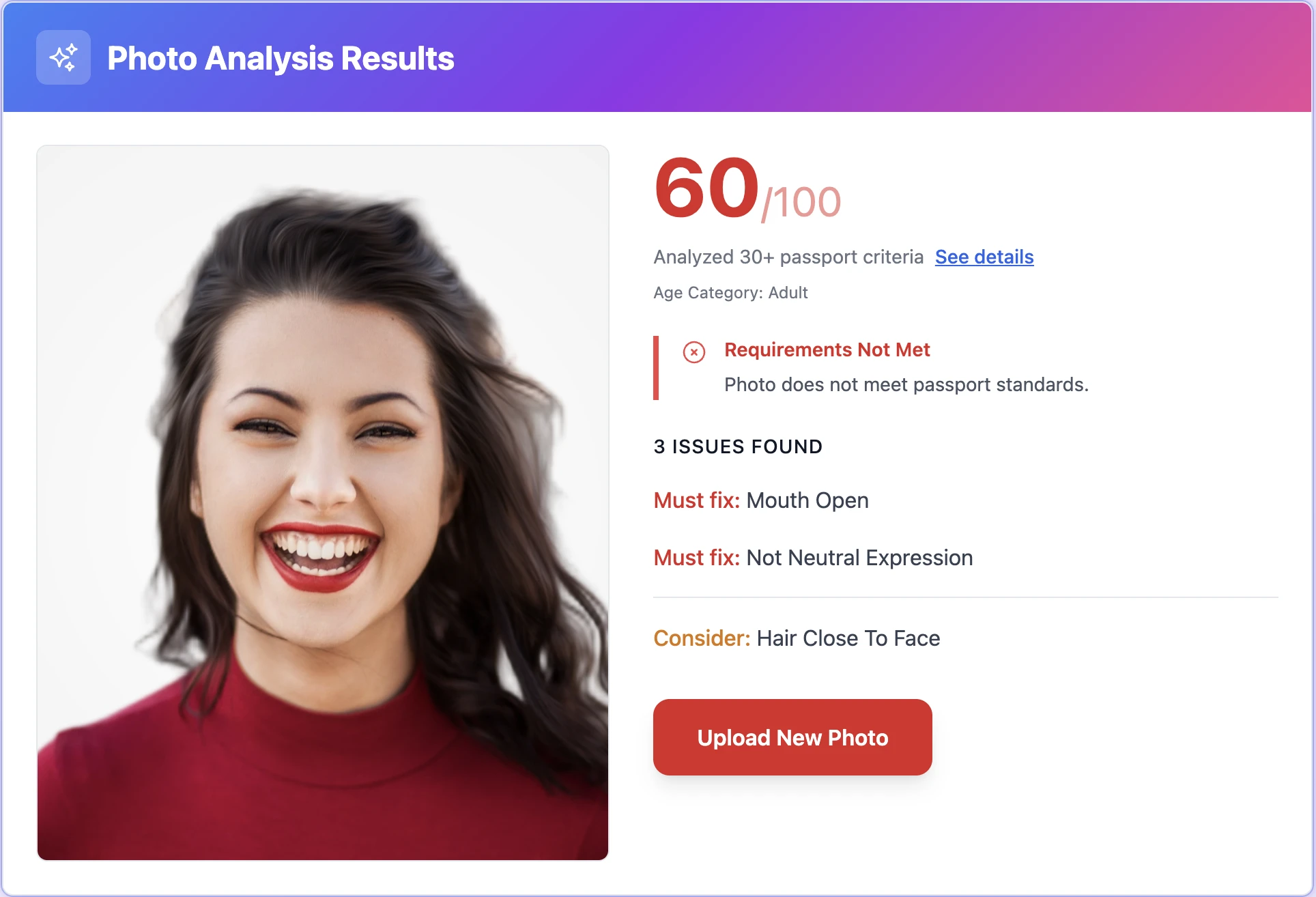
AI Indian Passport photo validation interface showing real-time analysis results
Real-time Analysis

Take Perfect PhotosAt Home

Professional Results • No Technical Skills Needed

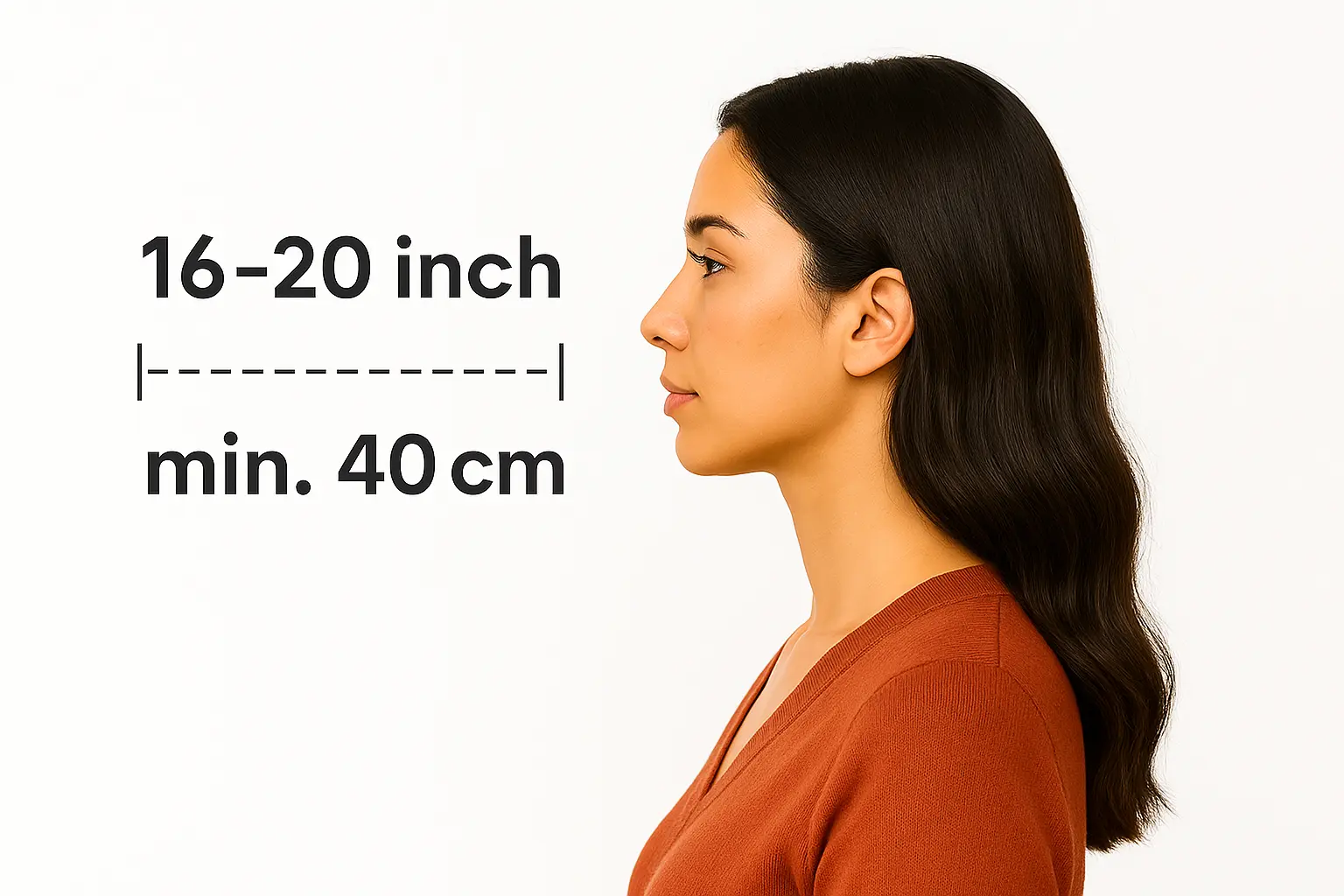
Step 1: Body-camera distance - instruction for taking the perfect passport photo

Body-camera distance

Position yourself min 16-20 inch from the camera. Ensure your head, neck, and upper shoulders are visible in the frame.
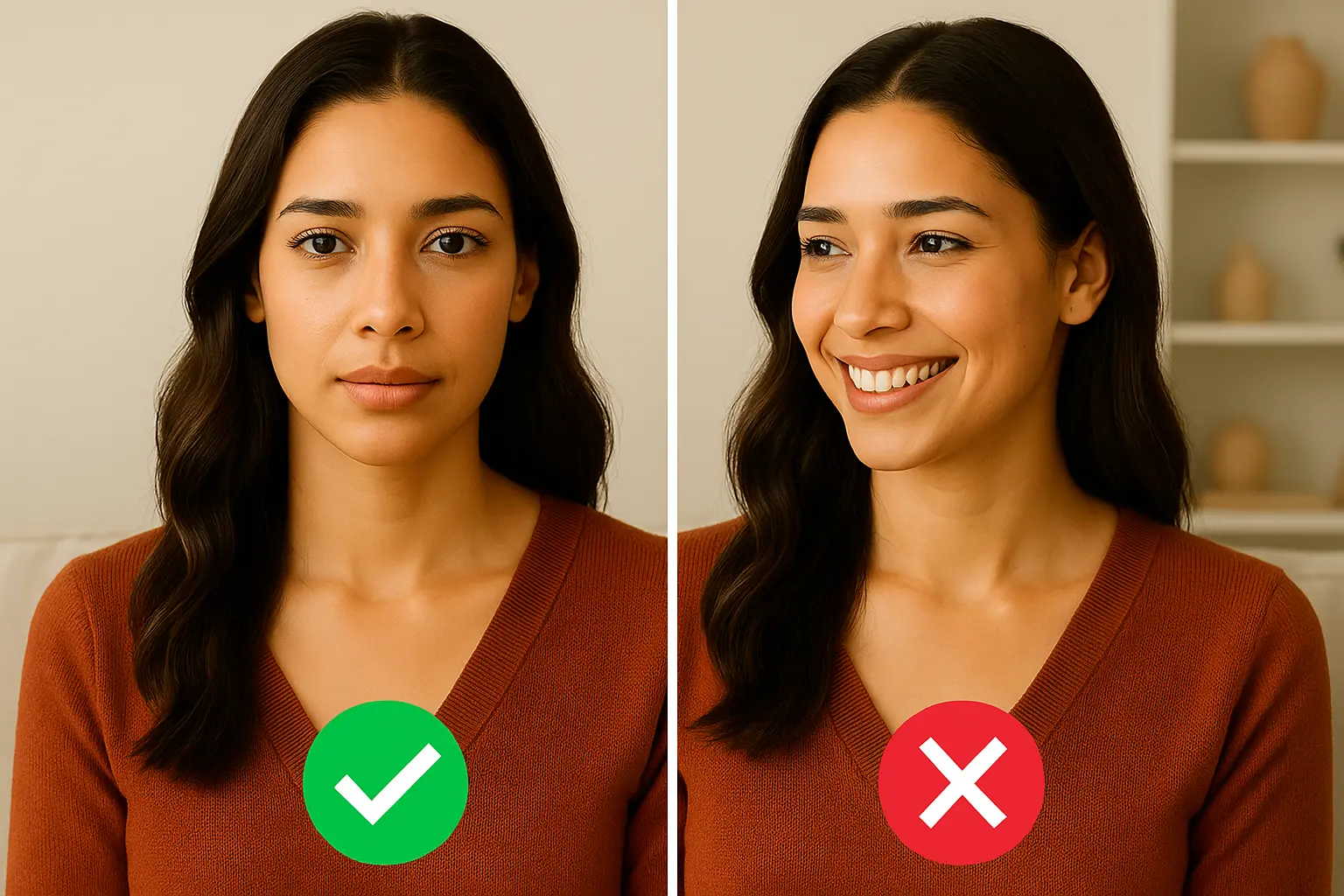
Step 2: Posture: straight ahead - instruction for taking the perfect passport photo

Posture: straight ahead

Keep your head straight and centered. Look directly at the camera with a neutral expression, mouth closed, and eyes open.
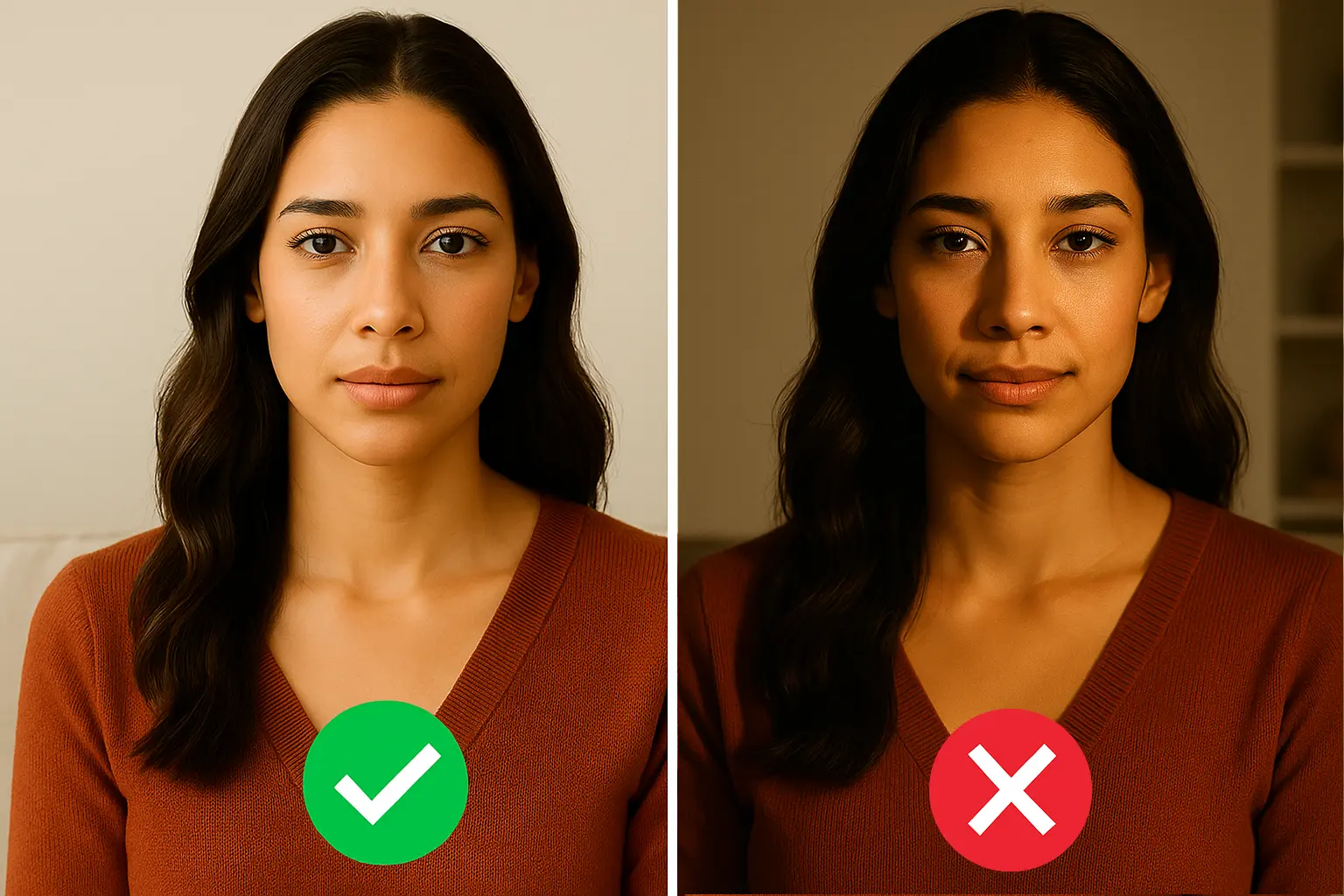
Step 3: Lighting on both sides of the face - instruction for taking the perfect passport photo

Lighting on both sides of the face

Use natural lighting for even illumination. Avoid shadows and ensure all facial features are clearly visible.

Ready in under 5 minutes • Works with any smartphone

Print Your Indian Passport PhotoSame Day

Walgreens, CVS & Walmart • Under $1 for 4 Photos

How to Print Your Photo

1

Download your digital photo

After checkout, download the print-ready file to your phone or computer

2

Visit CVS, Walgreens, or Walmart photo center

Use their app or in-store kiosk to upload your photo

3

Print as 4x6 photo

Your file includes 4 passport-size photos on one 4x6 print

Print ready in 1 hour • No appointment needed

Indian Passport SpecificationsMade Simple

Official Requirements • Compliant Standards

Size

35 x 45 mm

Resolution

457 dpi

Position

Head covers 75% of the photo

Background Color

#ffffff

Not Permitted

Hats and caps (except religious), Sunglasses, Heavy makeup, Eye glasses

Official Site Link

Passport photo requirements to create photo online
Official Standards
Last update: 3/14/2026
Written bySandra - Author AvatarSandra
Expert verified

Important Details When Taking an Indian Passport Photo

Applying for an Indian passport through the Passport Seva portal? The photo upload is the single most common point of failure in the application process. Unlike Indian visa or OCI applications, the Passport Seva portal requires a very specific non-square image size: exactly 630x810 pixels (35x45mm). Uploading the wrong dimensions, even by a single pixel, will cause an instant rejection. This guide covers every specification you need to get it right.

Indian Passport Photo Requirements We Comply With:

  • Size & Dimensions: The digital photo must be exactly 630 x 810 pixels (width x height), equivalent to 35 x 45 mm (3.5 x 4.5 cm) at 200+ DPI. This is a non-square aspect ratio (7:9), which is different from the 1:1 square format used for Indian e-Visas and OCI applications.

  • File Format & Size: JPEG (.jpg) format only. The file must be under 250 KB (the portal rejects anything larger). Minimum file size is approximately 10 KB.

  • Background: Plain white only. No off-white, no cream, no light grey. The Passport Seva portal's automated checker is strict about background uniformity, with no patterns, textures, shadows, or gradients.

  • Face Coverage: Your face must fill 80-85% of the frame, showing a close-up of the head and top of the shoulders. The full head from the top of the hair to the bottom of the chin must be visible, with the head centered and straight.

  • Expression & Pose: Neutral expression, mouth closed, eyes open and clearly visible. Look directly at the camera with no head tilt. Both ears should be visible when possible.

  • Glasses: Not permitted as of September 2025 ICAO enforcement. Remove all eyeglasses, including prescription glasses, sunglasses, and tinted lenses. No exceptions unless you have a documented medical condition.

  • Headgear: Head coverings are allowed only for religious reasons. The full face from forehead to chin and both edges of the face must remain clearly visible.

  • Recency: The photo must be taken within the last 6 months and reflect your current appearance.

  • No Digital Alteration: Photos must not be altered, retouched, or enhanced by any software. Filters, beauty modes, and AI smoothing are all grounds for rejection.

  • Attire: Wear dark-coloured clothing that contrasts with the white background. Avoid white or very light-coloured tops.


Passport Seva vs. e-Visa vs. OCI: Don't Confuse the Specs

This is the most common source of confusion. Indian passport, e-Visa, and OCI applications each have completely different photo specifications. A photo prepared for one will almost certainly be rejected by the others.

SpecificationPassport (Passport Seva)e-Visa (indianvisaonline.gov.in)OCI (ociservices.gov.in)
Pixel Dimensions630 x 810 px (fixed)Square, min 350x350 pxSquare, 200x200 to 1500x1500 px
Aspect Ratio7:9 (rectangular)1:1 (square)1:1 (square)
Print Size35 x 45 mm2 x 2 inches (51x51 mm)2 x 2 inches (51x51 mm)
Max File Size250 KB1 MB500 KB
BackgroundWhite onlyWhite or light-colouredPlain light colour (not white)
GlassesForbiddenForbiddenNot recommended
ICAO MandatoryYes (since Sep 2025)YesRecommended

For e-Visa photo requirements, see Indian Visa Photo Requirements. For OCI card photo requirements, see Indian OCI Photo Requirements.


ICAO Compliance: Mandatory Since September 2025

As of 1 September 2025, all Indian passport applications, whether submitted domestically through Passport Seva Kendras (PSKs) or through embassies and consulates abroad, must include photos that meet ICAO (International Civil Aviation Organization) standards. This applies to fresh applications, renewals, and reissues, regardless of the applicant's age.

Key ICAO requirements enforced by the portal:

  • Even, shadow-free lighting across the entire face
  • No reflections, red-eye, or unnatural colour tones
  • Face positioned in the centre of the frame with both eyes at the same horizontal level
  • Neutral expression with natural skin tones (no filters or beauty modes)
  • Background must be uniformly white with no visible objects or shadows

Applications with non-compliant photos are now rejected outright at the portal upload stage, rather than being flagged for manual review as was previously the case.


Digital Upload vs. Physical Submission

  • Online Application (Passport Seva Portal): Upload a JPEG image at exactly 630 x 810 pixels, under 250 KB. You must also upload a digital signature image separately (140 x 60 pixels, JPEG, under 250 KB). Both uploads are validated by automated checks before the application can proceed.

  • Passport Seva Kendra (PSK) Visit: If you apply in person at a PSK or Post Office Passport Seva Kendra (POPSK) in India, the centre typically captures your photo on-site using ICAO-compliant equipment. You generally do not need to bring printed photos for domestic applications.

  • Embassy / Consulate / BLS Submission (Abroad): NRIs applying through Indian embassies, consulates, or BLS International centres must submit two identical printed photos sized 35 x 45 mm on glossy photo-quality paper, in addition to the digital upload. BLS centres have trained staff to verify ICAO compliance on the spot.


Common Mistakes That Cause Rejections

  1. Wrong pixel dimensions -- Uploading a 2x2 inch (square) photo instead of the required 630x810 (rectangular) format. This is the single most reported issue.
  2. File too large -- Photos from modern phone cameras often exceed 250 KB. Compress the JPEG without reducing dimensions below 630x810.
  3. Wearing glasses -- Automatic rejection since September 2025 ICAO enforcement, even without visible glare.
  4. Shadows on background or face -- The portal's automated system flags any shadow, including subtle ones behind the ears or under the chin.
  5. White clothing blending into background -- Wear dark-coloured clothing to ensure clear separation between your shoulders and the white background.
  6. Face too small in frame -- Face must cover 80-85% of the photo. Many selfies and arm's-length photos result in too much background.
  7. Photo older than 6 months -- If your appearance has changed (new hairstyle, facial hair, weight change), the photo may be flagged during verification at the PSK.
  8. Beauty filters or AI enhancement -- Any detectable digital alteration causes rejection under ICAO rules.

Conclusion

The 630x810 pixel requirement is unique to the Passport Seva portal and catches many applicants off guard, especially those familiar with the square format used for Indian visas and OCI cards. Our tool automatically formats your photo to the exact Passport Seva specification, validates it against all ICAO requirements, and ensures a compliant upload, so you can submit your application with confidence.

Common QuestionsAnswered

Everything You Need to Know

Supported DocumentsWorldwide

All Countries • Current 2025 Regulations • ICAO Compliant