Australia Visa Photo (ImmiAccount) Maker
99.8% Acceptance Rate · Guaranteed
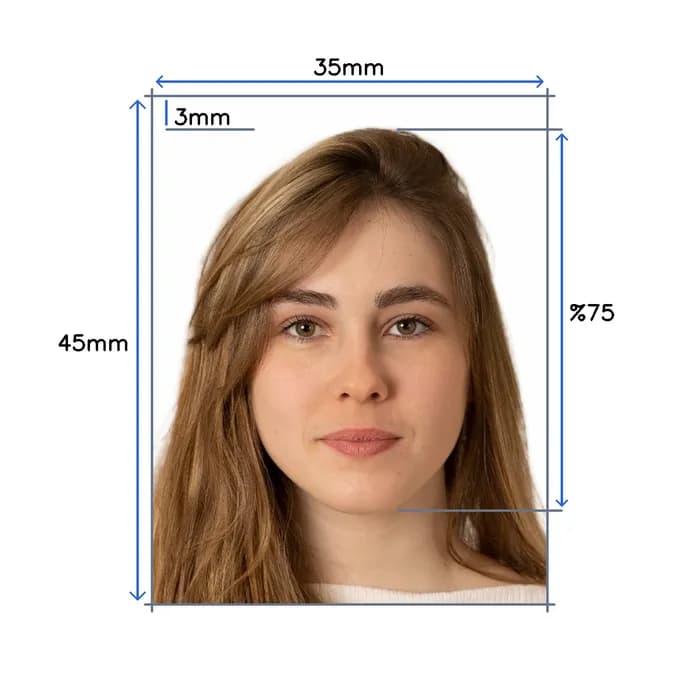
Take a selfie at home. We create a digital australian visa photo with 35×45mm, white background, and correct head size per official standards.
 Before
 After
After
Done before your coffee
Shoot at home in minutes. No drive, no line.

Caught before rejection
Measured against your country’s exact consulate spec — before you submit.


Rejected? Reshoot free.
Fourteen days of free resubmissions. Refunded if it still fails.
How it works
Four steps, entirely automated. Usually done in under a minute.

1·Snap a selfie
Any phone, any lighting. Front camera works.

2·AI validates it
Face, eyes, framing checked against spec in seconds.

3·Background swapped
Clean, official-compliant backdrop applied automatically.

4·Cropped to size
2×2, 35×45, or whatever your country's spec calls for.
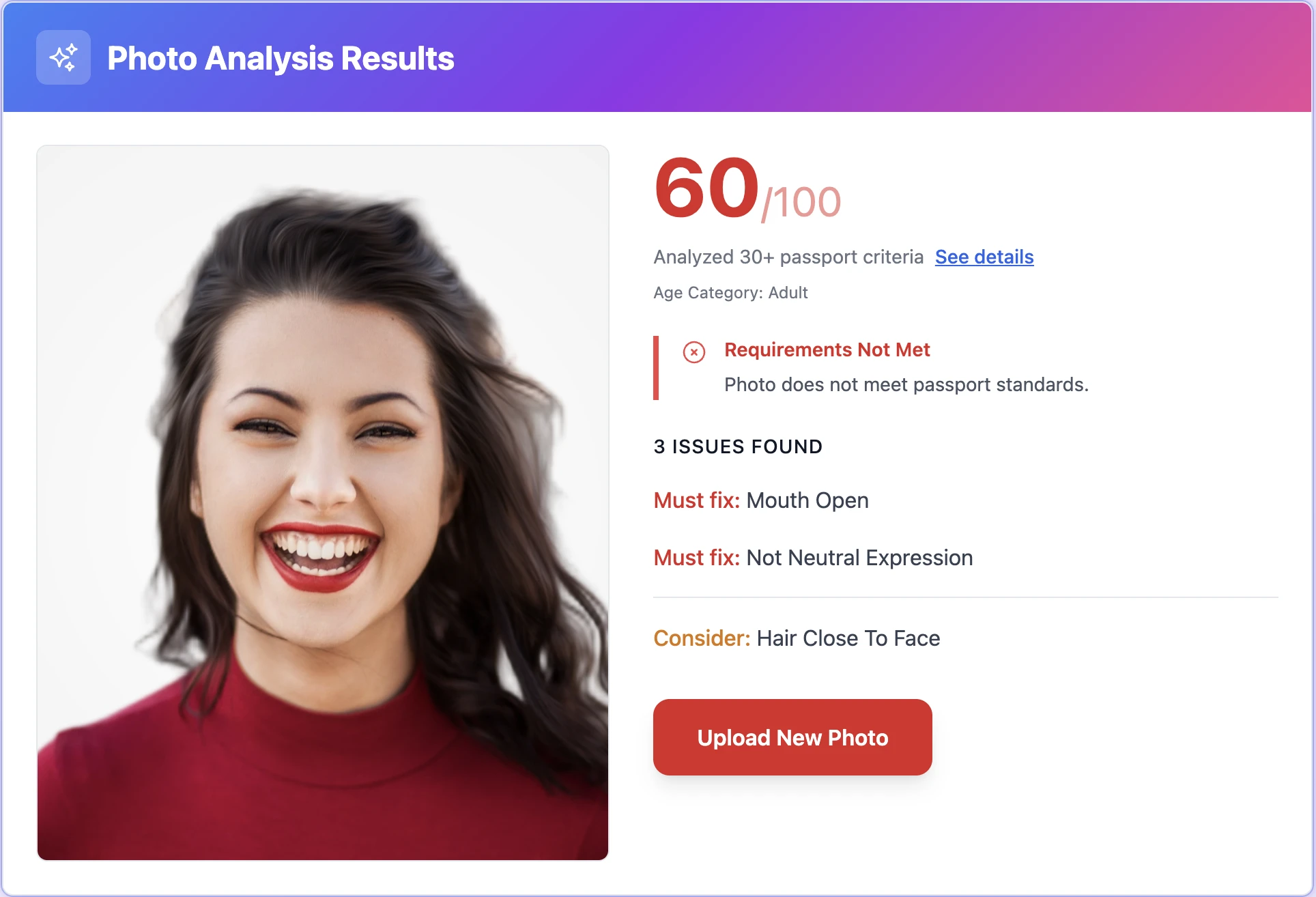
Australian Visa Photo Check
Instant • Professional • Guaranteed
Instantly verify your photo meets Australian Visa requirements. Get it right the first time.
Biometric Compliance
Face detection, eye visibility, pose alignment
Technical Quality
Resolution, lighting, focus, contrast
Australian Visa Standards
Official requirements, compliance guidelines
Validated using Australian Visa official requirements
Take perfect photos at home
A five-minute setup. Any smartphone will do.
 1
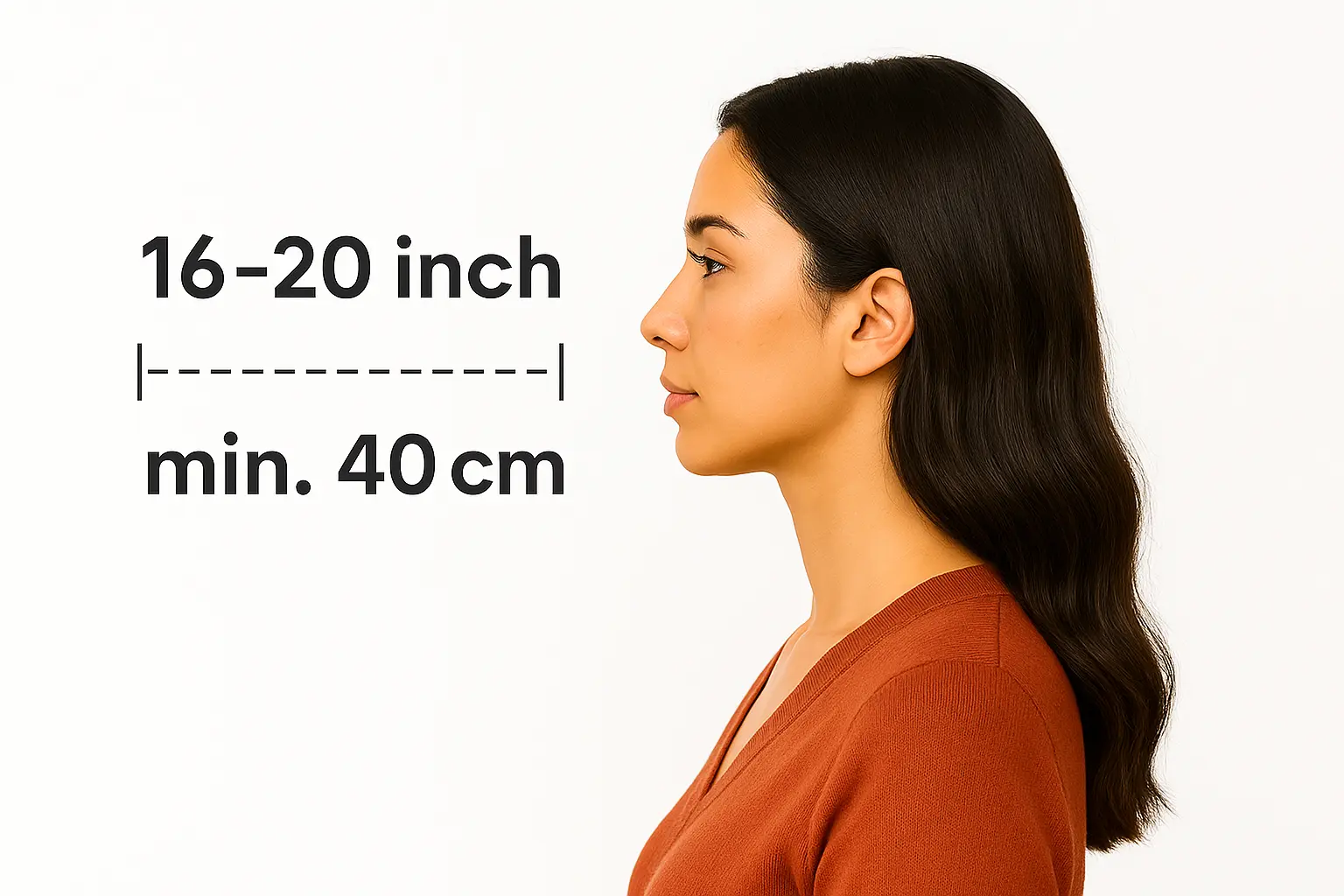
1Body-camera distance
Position yourself min 16-20 inch from the camera. Ensure your head, neck, and upper shoulders are visible in the frame.
 2
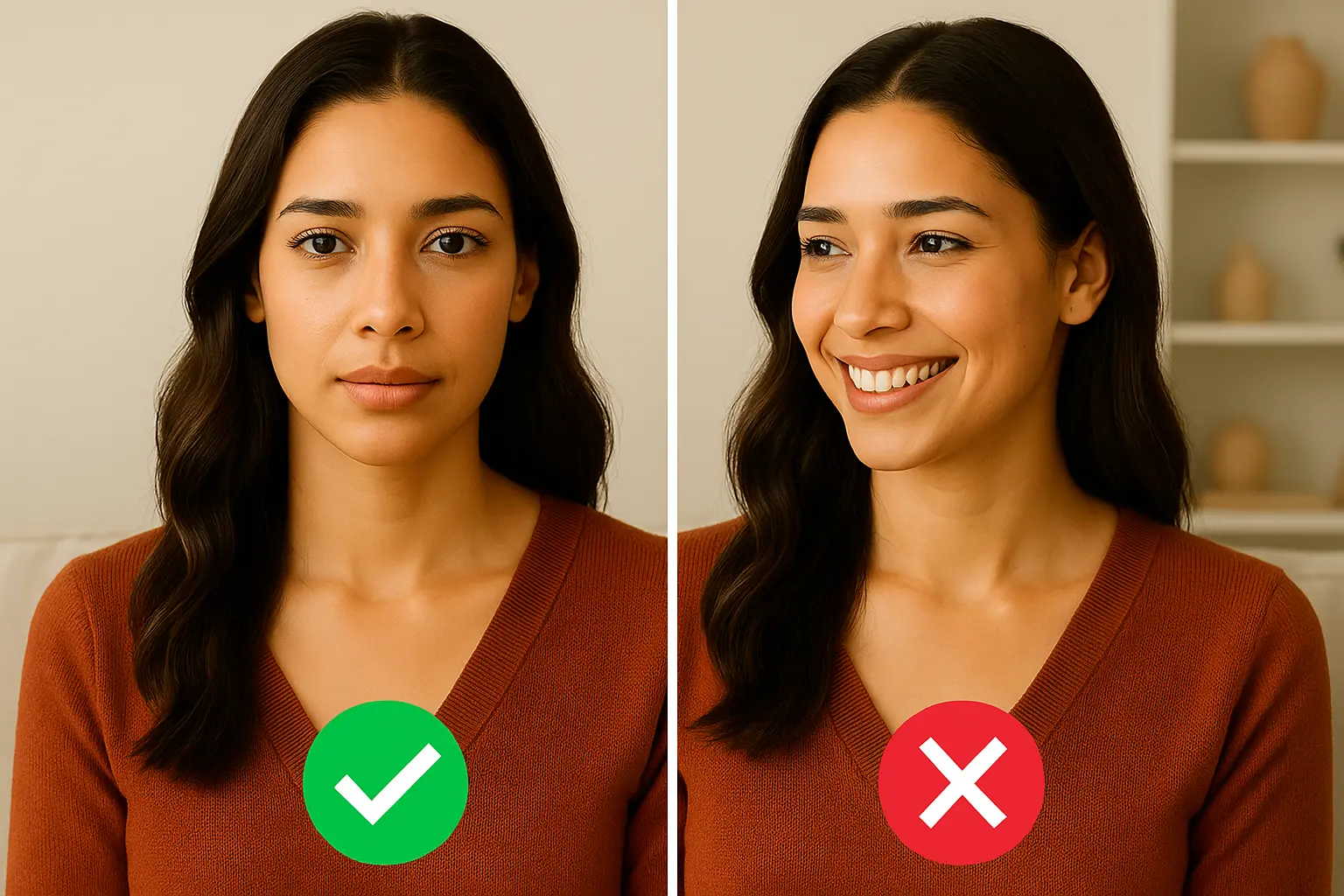
2Posture: straight ahead
Keep your head straight and centered. Look directly at the camera with a neutral expression, mouth closed, and eyes open.
 3
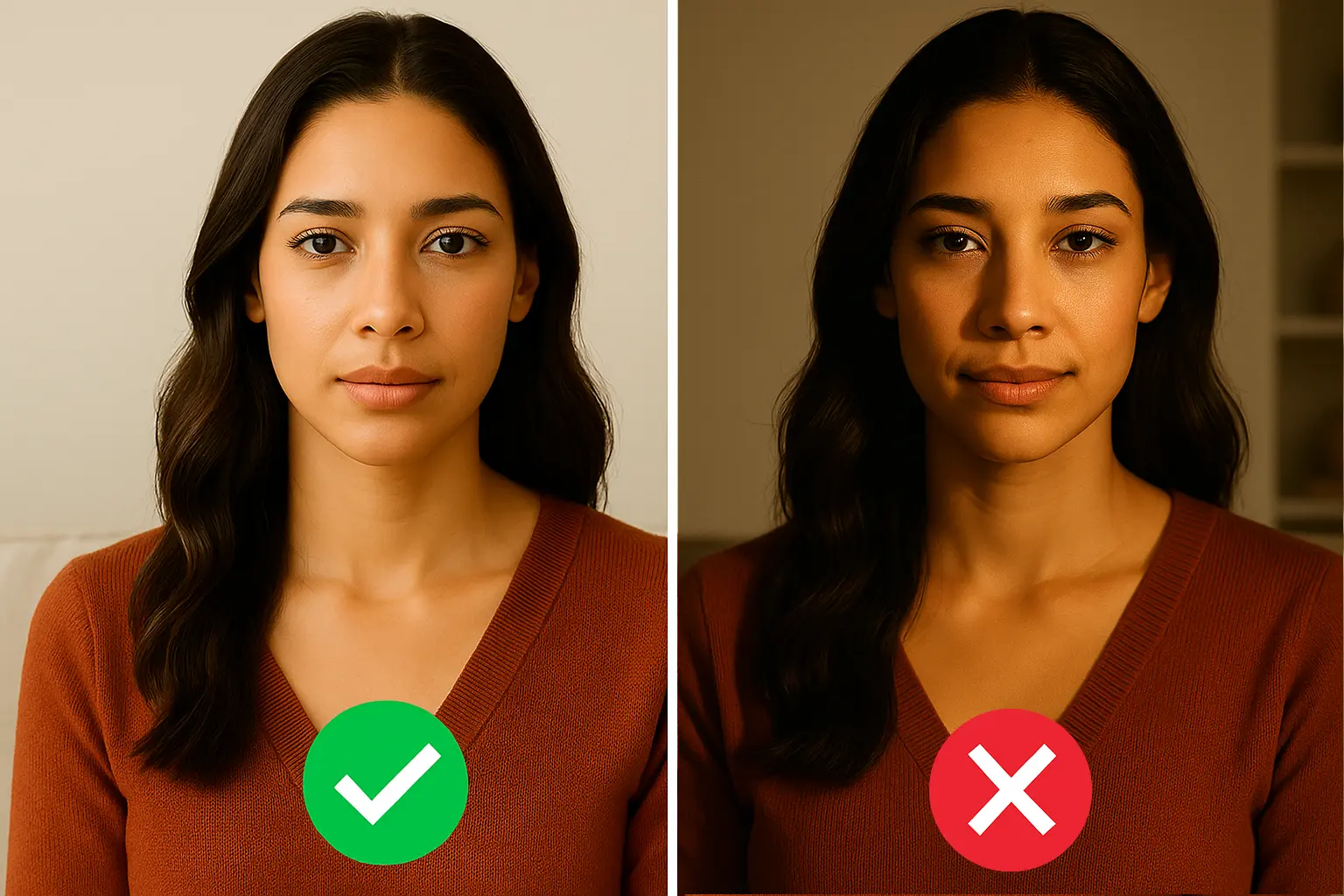
3Lighting on both sides of the face
Use natural lighting for even illumination. Avoid shadows and ensure all facial features are clearly visible.
Print your Australia Visa Photo same day
Walgreens, CVS & Walmart · under $1 for 4 photos


How to Print Your Photo
Download your digital photo
After checkout, download the print-ready file to your phone or computer
Visit CVS, Walgreens, or Walmart photo center
Use their app or in-store kiosk to upload your photo
Print as 4x6 photo
Your file includes 4 passport-size photos on one 4x6 print
Print ready in 1 hour • No appointment needed
Australian Visa specifications
Official requirements · compliant standards
Size
Resolution
Position
Background Color
Digital File Size
Not Permitted
 Sandra
Australian visa photo: 35 x 45 mm, not 2 x 2 inches
Australia follows the international standard, not the US format. The biggest mistake applicants make is reusing a US passport photo (51 x 51 mm square) — Home Affairs and ImmiAccount both reject it on dimension alone.
| Spec | Value |
|---|---|
| Print size | 35 x 45 mm |
| Head height | 32–36 mm (chin to crown) |
| Background | Plain white or light grey |
| Recency | Within the last 6 months |
| Format | Colour, JPEG for digital upload |
ImmiAccount digital upload: the file size band
The ImmiAccount portal accepts JPEG uploads for online visa applications, but the file rules are tighter than most countries. A 5 MB phone photo will not upload — you need to compress to the portal's accepted band, while keeping the pixel dimensions high enough for face-detection. Snap2Pass outputs the right size automatically; if you do it yourself, target 100–500 KB at 600 x 750 px and JPEG quality ~85.
Endorsement is only needed for paper applications
Most Australian visas are now applied for online via ImmiAccount, where a digital photo upload is sufficient and no endorsement is required. The "qualified person signs the back" rule only applies if you're submitting a paper application — which today is mostly limited to specific subclasses and offshore applicants. Check your visa subclass instructions before printing.
At your biometric appointment
For subclasses that require biometrics (most permanent and skilled visas), VFS Global or the Australian Visa Application Centre takes a fresh photo on the day. The photo you upload during application is only used for initial processing — getting it perfect for upload still matters because rejection here delays your appointment.
For other 35 x 45 mm specs (UK, Schengen) see UK Passport Photo and Schengen Visa Photo. For other Australian documents see Australian Passport Photo.
Australia Visa Photo — what Department of Home Affairs requires
Common rejection reasons at Department of Home Affairs
- ⚠Background not solid white or light grey — Home Affairs explicitly lists "pale blue or grey" as acceptable; pure white is safest
- ⚠Image larger than 1 MB — ImmiAccount has a 1 MB JPEG upload limit
- ⚠Shadow on the face or background — common in selfies taken with phone flash
- ⚠Photo older than 6 months — Home Affairs may compare to your most-recent immigration photo
Common questions, answered
Everything you need to know before you upload. Tap any question to expand.
Supported documents, worldwide
Every country · current 2025 regulations · ICAO compliant