
Chinese Visa Photo App

Meets COVA Upload Specs · AI-Verified · 99.8% Acceptance

Take a selfie and get a COVA-ready Chinese visa photo instantly. Our AI creates a 33×48mm photo with white background, correct head size, and ears visible — formatted for COVA digital upload.

Original user photo before digital processingBefore
Digital Chinese Visa photo resized to official size requirements, ready for online applicationAfter
cn flag

Why Choose Snap2Pass

500,000+ Photos Processed
99.8% Acceptance Rate
24/7 Customer Support

Lightning Fast

Advanced AI technology processes your photo in seconds, delivering professional results instantly.

AI Expert Review

AI-powered computer-vision algorithms verify size, lighting, background, and framing against photo standards.

Guaranteed Approval

If authorities reject your photo, we'll fix it for free or refund you - no hassle, no risk.

Chinese Visa Photo CheckInstant • Professional • Guaranteed

Instantly verify your photo meets Chinese Visa requirements. Get it right the first time.

25+
Validation Points
99%
Acceptance Rate
7
Check Categories

Biometric Compliance

Face detection, eye visibility, pose alignment

Technical Quality

Resolution, lighting, focus, contrast

Chinese Visa Standards

Official requirements, compliance guidelines

Validated using Chinese Visa official requirements

AI Chinese Visa photo validation interface showing real-time analysis results
Real-time Analysis

Take Perfect PhotosAt Home

Professional Results • No Technical Skills Needed

Step 1: Body-camera distance - instruction for taking the perfect passport photo

Body-camera distance

Position yourself min 16-20 inch from the camera. Ensure your head, neck, and upper shoulders are visible in the frame.

Step 2: Posture: straight ahead - instruction for taking the perfect passport photo

Posture: straight ahead

Keep your head straight and centered. Look directly at the camera with a neutral expression, mouth closed, and eyes open.

Step 3: Lighting on both sides of the face - instruction for taking the perfect passport photo

Lighting on both sides of the face

Use natural lighting for even illumination. Avoid shadows and ensure all facial features are clearly visible.

Ready in under 5 minutes • Works with any smartphone

Print Your Chinese Visa Photo AppSame Day

Walgreens, CVS & Walmart • Under $1 for 4 Photos

How to Print Your Photo

1

Download your digital photo

After checkout, download the print-ready file to your phone or computer

2

Visit CVS, Walgreens, or Walmart photo center

Use their app or in-store kiosk to upload your photo

3

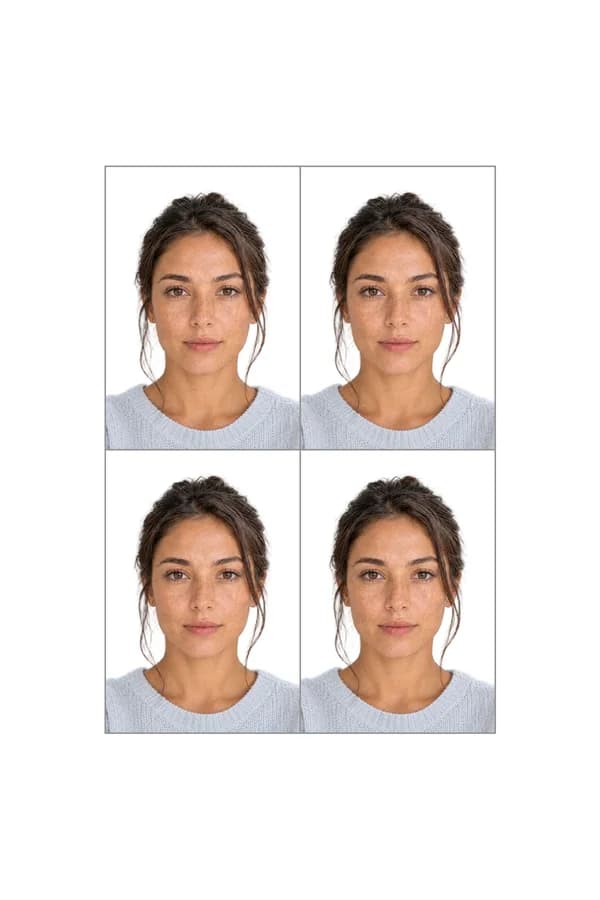
Print as 4x6 photo

Your file includes 4 passport-size photos on one 4x6 print

Print ready in 1 hour • No appointment needed

Chinese Visa SpecificationsMade Simple

Official Requirements • Compliant Standards

Size

33 x 48 mm

Resolution

290 dpi

Position

Head covers 65% of the photo

Background Color

#ffffff

Not Permitted

Hats and caps (except religious), Sunglasses, Heavy makeup, Eye glasses, Jewelry

Official Site Link

Passport photo requirements to create photo online
Official Standards
Last update: 4/4/2026
Written bySandra - Author AvatarSandra
Expert verified

Get Your Chinese Visa Photo with the Snap2Pass App

Applying for a Chinese visa through the COVA system? The photo requirements are stricter than most countries, and the online upload checker is notoriously finicky. Snap2Pass is a phone app built to produce COVA-ready Chinese visa photos — no studio visit needed.

Chinese Visa Photo Specs at a Glance

Before you snap your photo, here is what the Chinese consulate requires:

  • Print size: 33mm x 48mm (1.3 x 1.9 inches)
  • Digital format: JPEG only
  • Digital dimensions: 354x472 to 420x560 pixels
  • File size: 40–120 KB (the COVA system rejects files outside this range)
  • Background: Solid white
  • Head height: 28–33mm from chin to crown
  • Ears: Must be fully visible — pin back long hair and bangs
  • Expression: Neutral, eyes open, mouth closed
  • Recency: Taken within the last 6 months

Snap2Pass automatically formats your photo to these exact specifications. Select "China Visa" as your document type, take or upload your photo, and the app handles cropping, background, sizing, and file compression.

Dealing with the COVA System

The COVA online visa application system launched in September 2025 and includes an automated photo checker. Here is what you need to know:

  • The "Photo check failed" error is a known bug. Many compliant photos trigger this error. Chinese authorities are aware of the issue.
  • Your photo is still valid. If it meets the specs above, consular officers will accept it during manual review.
  • Do not keep retaking your photo because of this error. If Snap2Pass validates your image, proceed with your application.
  • Always bring a printed 33x48mm copy to the consulate — even after a successful digital upload, you need a physical photo attached to your printed COVA form.

Why Use an App Instead of a Studio

Photo studios charge $15–$25 and rarely know the specific 33x48mm Chinese visa format — many will hand you a standard 2x2 inch US passport photo instead. With Snap2Pass:

  • Correct format guaranteed — the app knows the difference between a US passport photo and a Chinese visa photo
  • File size optimized — your digital file lands in the 40–120 KB range that COVA requires
  • Print-ready layout included — download a 4x6 layout with multiple 33x48mm copies, print at CVS or Walgreens for under $1
  • Unlimited retakes — adjust lighting or expression and try again at no extra cost

How to Take the Perfect Chinese Visa Photo at Home

  1. Stand in front of a plain light-colored wall with natural lighting (no flash)
  2. Pin back all bangs and hair — your forehead, eyebrows, and ears must be fully visible
  3. Remove glasses if possible (allowed if no glare, but safer without)
  4. Open Snap2Pass, select China Visa, and take your photo
  5. Review the AI compliance check, download your digital and print files

For a full walkthrough of the COVA upload process, see our step-by-step COVA photo upload guide.

Common QuestionsAnswered

Everything You Need to Know

Supported DocumentsWorldwide

All Countries • Current 2025 Regulations • ICAO Compliant